AI request isolation is an operational risk, not a hosting-location question
A private server does not make an AI workflow safe by itself. The real test is whether each request is allowed to see, use, and do only what it should.
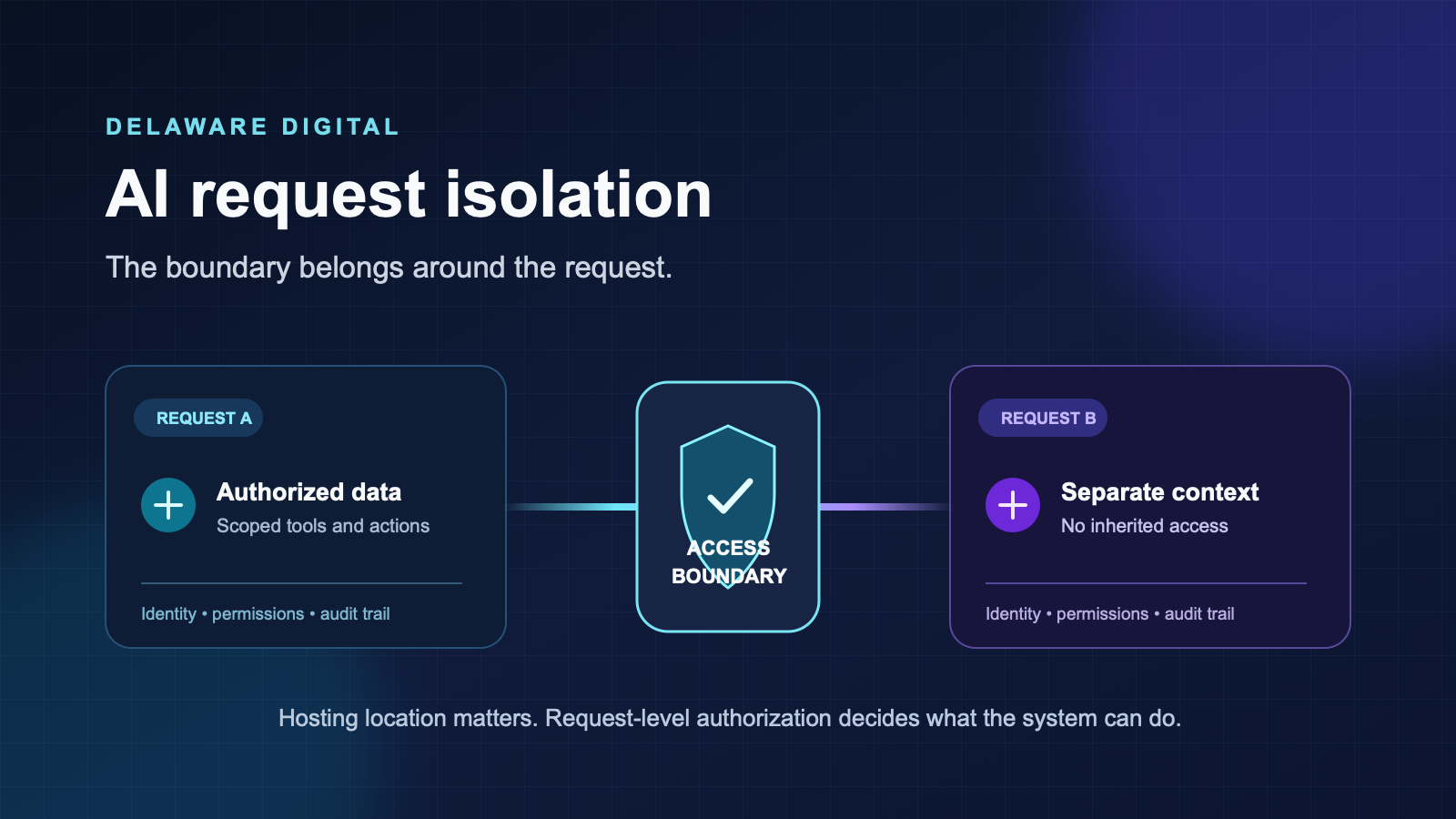
A private server can still run an unsafe AI workflow.
That sounds backwards because the conversation about AI security usually begins with location: Is the model in the cloud? Is it on our server? Does the data stay in the country? Those are valid questions. They are not the whole job.
The operational risk shows up one layer closer to the work. When a request enters an AI system, what is it allowed to see, use, and do? If the answer is “whatever the shared service account can reach,” the system has an isolation problem whether it runs on a public platform, a dedicated server, or hardware in your own office.
For an owner or operations lead, this matters because AI workflows are starting to touch live systems: customer intake, email, CRM records, document repositories, scheduling, reporting, and internal knowledge. A small gap in how one request is separated from another can turn into a data exposure, a bad automated action, or a mess nobody can reconstruct afterward.
Hosting is one control, not the control
Hosting decisions matter. They affect where data is processed, which vendors are involved, what contractual terms apply, and who can administer the machine. A dedicated environment can reduce unnecessary exposure. It can make audit and ownership simpler.
But hosting does not automatically decide what happens inside the application.
Imagine two workflows running on the same private server. One sorts inbound quote requests. The other prepares a weekly management report. If both use the same broad credential, either workflow may be able to read the other workflow’s data or act in systems it does not need. The server is private. The access path is still too wide.
The same failure happens when several clients share a database connection, when retrieved documents are not filtered by customer or user, or when an AI agent receives a tool with permission to do more than its task requires.
The question is not only “Where does this run?” It is “What is this request authorized to do right now?”
A request needs its own boundary
Every production AI workflow should have an answer to five practical questions.
Who is making this request? A workflow should carry a real identity, whether that is a staff member, a customer account, a named system process, or a combination of those. Anonymous shared access makes it hard to enforce a boundary and even harder to investigate a problem.
Which data can it retrieve? Retrieval should be filtered before information reaches the model. A question about one customer should not fetch another customer’s documents because they sit in the same folder or vector index. The model cannot leak data it never receives.
Which tools can it call? A workflow that classifies an intake form may need to create a draft record. It probably does not need authority to delete records, change billing, or send a message from an executive’s account. Give the workflow the smallest set of capabilities that completes the job.
Which actions need a person? Some actions can be safe to run automatically. Others should stop for review: sending an external message, changing a record with financial or legal consequences, granting access, or triggering a downstream workflow that cannot be easily undone. A human approval step is not a defeat for automation. It is part of a system that knows where its limits are.
Can we explain what happened afterward? If the system sends a wrong message or creates a bad record, your team needs to see which request started it, what data was retrieved, which tool was called, and which credential was used. Without that trail, you have an unexplained operational failure, not something you can fix with confidence.
The most common weak patterns
The dangerous setups are usually not dramatic. They are shortcuts that look reasonable while a workflow is still a proof of concept.
One all-powerful service account. It gets the integration working quickly. It also means every prompt, job, and connector inherits broad access. Separate credentials by workflow and scope them to the actions that workflow needs.
One shared knowledge base with no access filter. A team loads every policy, contract, proposal, and support record into a search system. The AI gives useful answers until it returns information from the wrong client, department, or project. Security needs to be enforced at retrieval, not left to a sentence in the prompt asking the model to be careful.
Tool access determined by whatever the model asks for. AI systems can be useful decision aids, but a language model should not be the final authority on its own permissions. Tool choices should be designed in advance, allowlisted, and checked by deterministic code.
Automation that acts without a fallback. If a workflow cannot complete safely, it should create an alert or a review task, not guess its way through. The right failure mode is visible and recoverable.
Logs that record only a final answer. The output alone does not tell you which source documents, tools, or permissions produced it. Record the operational path, while handling logs with the same care you apply to the underlying data.
Why prompts are not a security boundary
A prompt can guide behavior. It cannot grant or reliably restrict privileges.
You can tell an AI assistant, “Only use customer A’s files,” and it may follow that instruction most of the time. That does not make it a control. If the retrieval system passes customer B’s files into the context, the boundary has already failed. If the tool credential allows the agent to update any CRM record, the prompt has no power to make that credential less capable.
This is especially important with untrusted input. Emails, uploads, support tickets, and documents can contain instructions aimed at changing the behavior of the system processing them. The workflow should treat those materials as data, not authority. The model can summarize or classify them, but the surrounding application must decide what tools are available and what actions are permitted.
Good isolation makes malicious or accidental instructions much less consequential. The request has a narrow data view, a narrow tool set, and a review path for actions with real impact.
A practical design for a service business
Take a common example: an after-hours quote request.
A reliable workflow can read the form submission, extract the contact details, identify the service category, create a CRM lead, and notify the on-call employee. It does not need access to every contact in the CRM, an employee’s mailbox, or the ability to send a final price. It needs a constrained identity, the fields in the submitted form, permission to create one kind of record, and a clear path for anything outside the rules.
The same approach applies to document intake. A workflow may read a file associated with one client, extract specific fields, and save a draft for a coordinator to review. It should not be able to browse every document on the server simply because a connector was easier to configure that way.
The technology is different in each business. The operating principle stays the same: put the authorization boundary around the request, not around a vague idea of a private deployment.
What to ask a vendor or internal team
Before an AI workflow goes live, ask for direct answers to these questions:
- What identity does this workflow use when it reads data and calls tools?
- How is data filtered so a request only retrieves records it is allowed to use?
- Which actions can run automatically, and which require approval?
- What is the fallback when a tool call fails, returns an unexpected result, or is outside the workflow’s scope?
- Where can we see the audit trail for a specific request?
- How are credentials limited, stored, rotated, and removed when the workflow changes?
If the answer is a broad assurance that the system is “private,” keep asking. Private where? Private from whom? Private at which layer?
The point is dependable automation
Request isolation is not a compliance checkbox for a future enterprise project. It is how you keep a useful automation from becoming an unpredictable one.
Businesses adopt AI to move routine work faster: route an inquiry, organize a document, prepare a report, surface a relevant answer. That only helps if the workflow is dependable. Dependability comes from clear identities, narrow permissions, filtered data, review gates, and a record of what occurred.
The server location still matters. It just cannot carry the whole security conversation by itself.
If you are mapping an AI workflow that will touch customer data or live business systems, talk with Delaware Digital about a scoped automation review. We will help you identify what should be automated, where the request boundary belongs, and where a person needs to remain in the loop.
Frequently asked questions
What is AI request isolation?
AI request isolation means a workflow handles each request within a defined boundary: the identity it operates under, the data it may read, the tools it may call, and the actions it may take. A request from one customer, team, or workflow should not inherit access from another.
Does self-hosting an AI system make it isolated?
No. Self-hosting changes where the system runs and who operates the infrastructure. Isolation still depends on application-level controls: authenticated identities, scoped credentials, separated data retrieval, allowlisted tools, and logs that can be reviewed after the fact.
What should a business ask before deploying an AI workflow?
Ask what identity each request uses, which data it can retrieve, which tools it can call, what actions require a person to approve, how credentials are scoped and rotated, and how the team will investigate an unexpected action. Clear answers are more useful than a generic claim that the deployment is private.